

Door Visualiser Help
Using the Door Visualiser
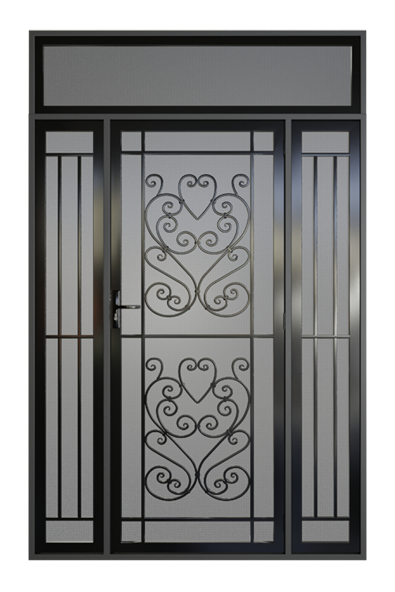
The Door Visualiser will help you get a better idea of how your new security door will fit in with your home. It allows you to explore colours, styles and security add-ons in greater detail.
The toolbar to the right of the visualiser will allow you to zoom in and out by clicking on the magnifying glasses, or by scrolling while hovering your mouse over the product. You can use the camera symbol to trigger the product to turn slowly, or you can turn the product manually by clicking and holding on the product and moving your mouse to the left or right. Finally, you can open or close the door in the visualiser by clicking the door icon at the bottom of the toolbar.
It is easiest to use if you follow the pathway. If you find yourself having issues the best thing you can do is reload your page. However, you can use the bar on the left to jump back to a previous section if you would like to change your options.
The Door Visualiser is a great tool to help you get an idea of how your final product will look. While we have attempted to give as many options as possible to increase similarity to the final product, the real world will always look a little different to the digital.
Use the visualiser to help you know what to ask for when on-site inspections happen, but ensure that you colour and style match your choices in person as well as online. Our team at MSD can help guide you to how best to achieve what is seen in the visualiser on your home.
The Door Visualiser lets the MSD team know what it is you’re looking for in a security door. From the information input into the visualiser, they can generate a quote for you that is influenced by that information. However, all quotes are subject to change following an on-site inspection as the physical demands of the property may affect what is possible.
Designs, security features and material types available vary from door to door. The visualiser automatically filters out designs, security features and material types depending on the previous choices you’ve made.
Yes! The “View on Home” button gives you an image file that will be compatible with most drawing and photo editing software.
Use the “Save Configuration” button to share your design, or save it for further editing later.
Once clicked on it will give you two link options. The first is a shareable link you can send to show your design to others, the second link allows you to edit the design. We recommend bookmarking both links.
If your doorway or window is an alternate shape to a standard rectangle or square design, you’re not out of luck in acquiring a security door. MSD designs can be custom fit to most shapes and sizes that occur on buildings around Australia. While the visualiser is not able to show alternate doorway shapes if you contact our team at MSD they will be able to help you design a security door that suits your doors or windows.
Book a free measure and quote
What happens next?


